 Orca
Get started
Orca
Get started
Orca · early access
Your assistant already works across your email, calendar and team chat. Orca is where it brings the work back to you: what it found, what it drafted, and what it needs you to decide. Conversations, projects, email drafts, tasks and meeting prep, in one calm place.
Sign in with Google · Bring the assistant you already use · Installs on iPhone as a web app
An example
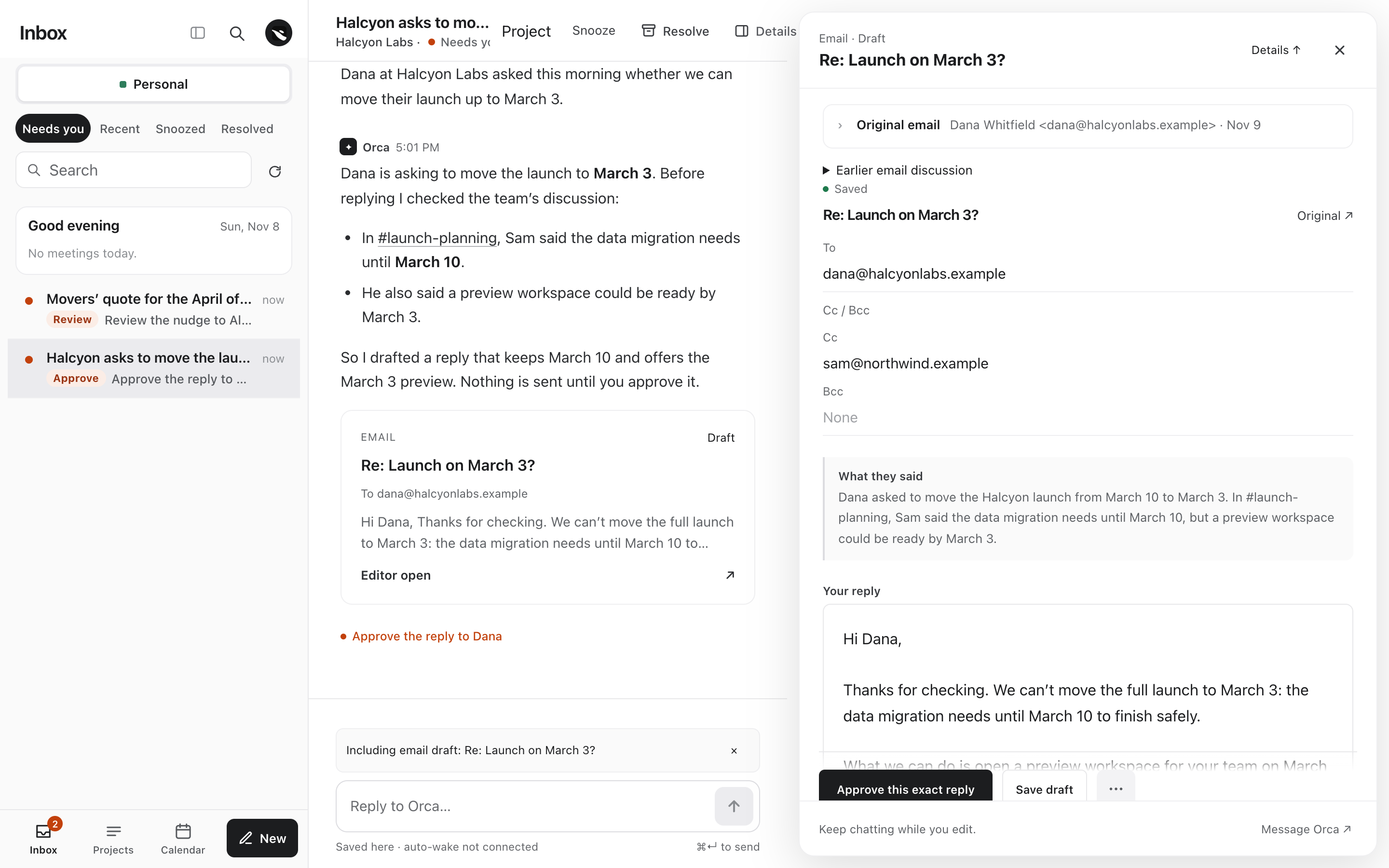
Dana, a customer, asks whether her launch can move up a week. You haven't seen it yet. Your assistant has.
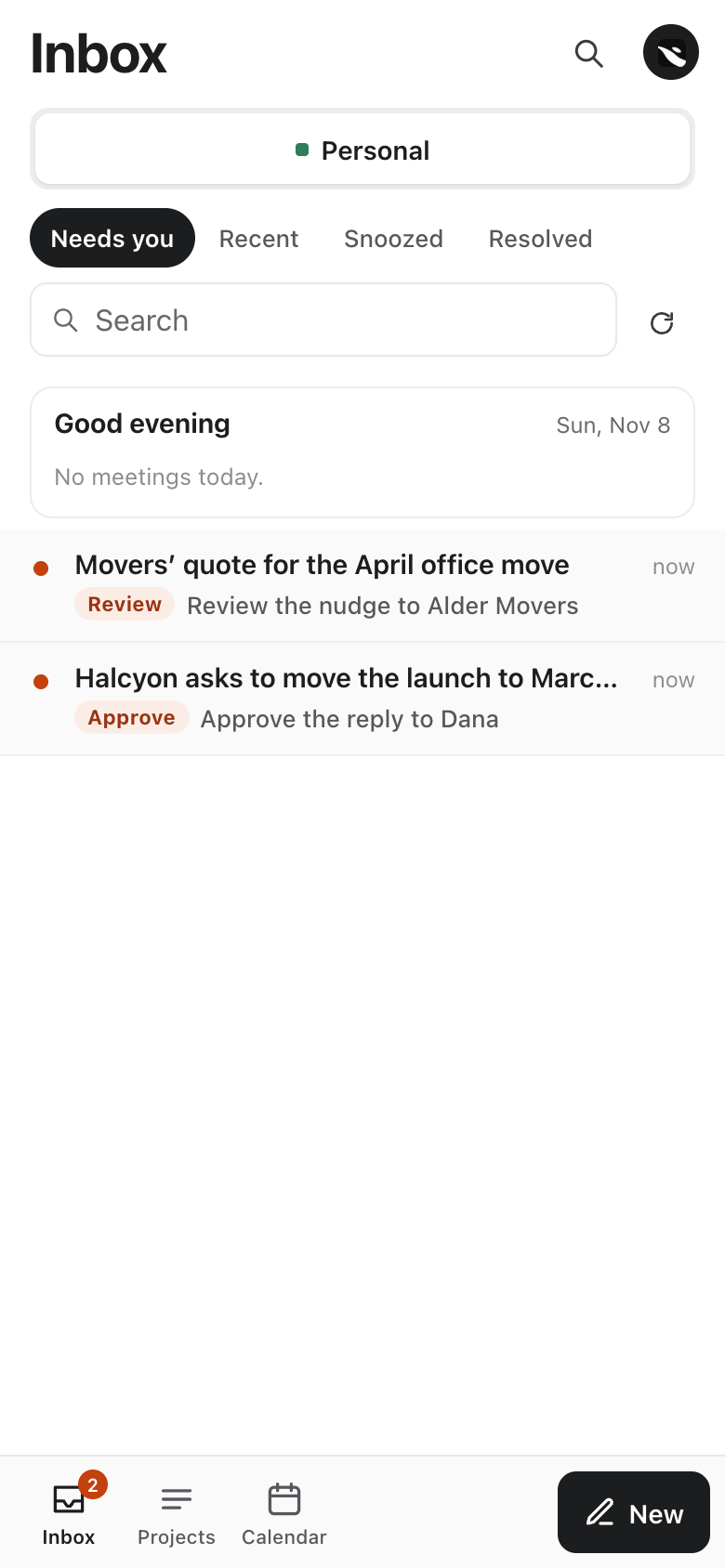
One row in your Inbox. Everything behind it is one click away.
How it works
A list on the left, the conversation everywhere else. Inbox, Projects and Calendar share the same column, so nothing jumps when you switch.
Inbox
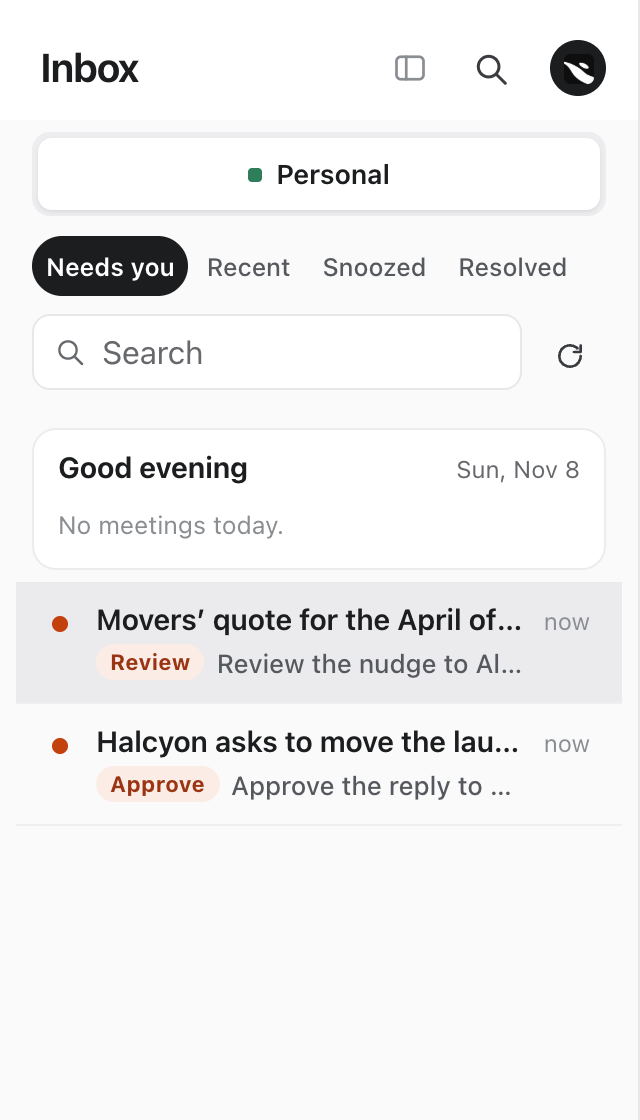
Every conversation that is asking you something, with the verb you owe: Approve, Review, Decide, Reply. One row per thing, never two.
Projects
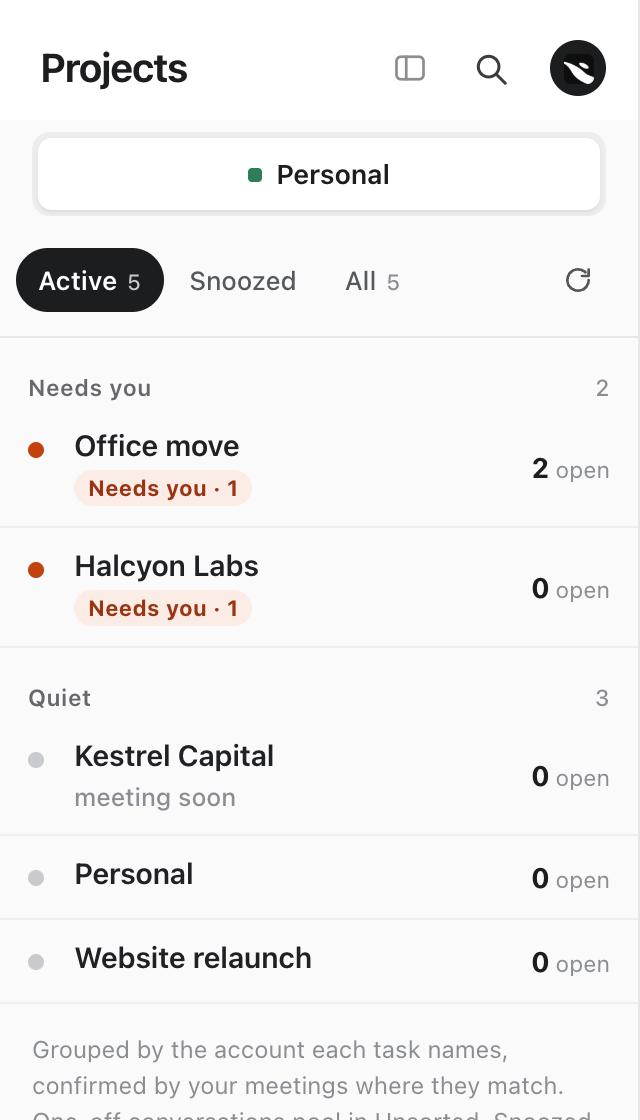
Projects outlive any single chat: a customer, a launch, an office move, a passport renewal. Grouped by what needs you and what is quiet.
Calendar
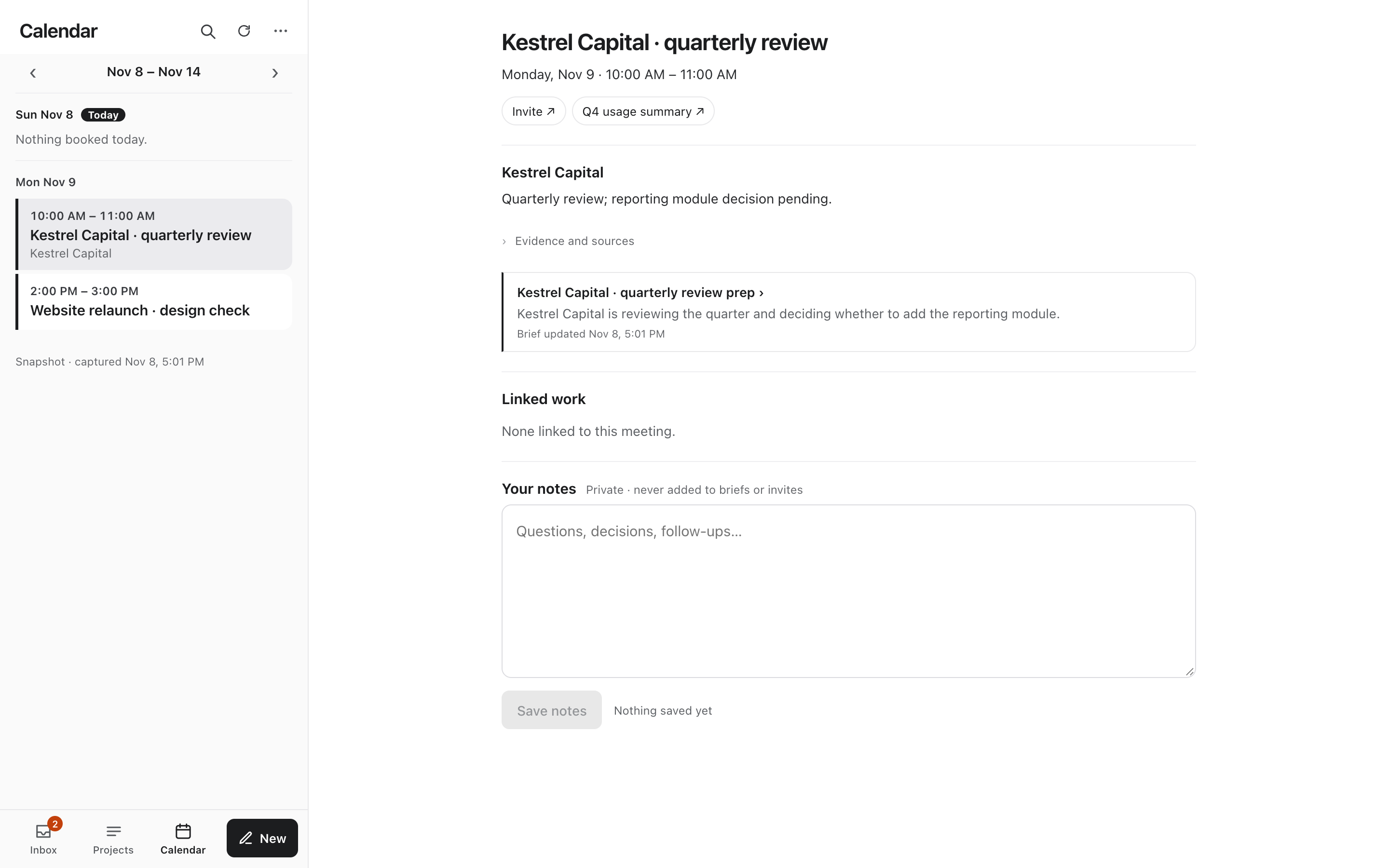
Booked meetings your assistant synced, not every focus block. Each one opens with its prep and a private notes box that is yours alone.
Not just email
Meeting prep
Before a booked meeting, your assistant pulls together the earlier conversations, call notes it can read and the open questions, and leaves the prep on the meeting.
Follow-ups
When someone hasn't answered, it says who you're waiting on and for how long, and drafts the nudge for you to review instead of sending it.
Ongoing projects
It updates the project you already have when something changes elsewhere, rather than starting a new list every morning. Your edits and completed tasks stay as you left them.
CRM and company enrichment are optional. Orca works for a sales team, an engineer, a business owner, or your own errands.
The one rule
A routine update never creates a badge. Only an open question, a decision, an approval or something that broke. Reading a thread doesn't clear it; answering does.
Orange only ever means you're needed. Blue means your assistant was actually seen working, recently. If it goes quiet, Orca says so instead of showing a spinner.
Two need you. Two don't. The badge says 2.
Hi Dana,
We can't move the full launch to March 3: the data migration needs until March 10 to finish safely. What we can do is open a preview workspace for your team on March 3.
Maya
Drafts live inside the conversation they came from. When you approve, you approve those recipients and that text. Your assistant does the sending from your own email account, and "Sent" lights only when the send is recorded. Typing in the chat never sends mail.
Your agent, not ours
Orca doesn't run its own AI. Your assistant connects to Orca over a secure sign-in (MCP with OAuth), reads the conversations you start here, and writes back. It uses the tools you've already connected to it, like email, calendar and Slack. Orca stores and organizes the work, wakes your assistant when you write, and shows you what it did.
Built to be trusted
"Sent" means your message was saved. "Working" means your assistant was actually seen working. If nothing happens, Orca says so.
Tasks, drafts and prep link back to the message, thread or call they came from.
Private meeting notes are stored separately and aren't shared with your assistant.
Emails need your approval of the exact version. Your edits are never overwritten by a later draft.
Sign in, connect your assistant, and its first reply lands in your Inbox.
Early access · Sign in with Google · No card to start